Diese Seite gibt es noch nicht in Ihrer Sprache. Sie lesen den englischen Text.
Knowledge base
Set a proxy for a profile
Store the address once
Paste the seller's lines into the proxy library. Fifty lines become fifty entries in one paste, and each is stored once.
The library reads the usual shapes, including login and password in the same line.
- 1
Open the proxy library
The Proxies tab in the left column.
- 2
Paste the lines
One address per line, in whatever shape the seller sent.
- 3
Check what was read
Lines that did not parse are listed rather than dropped.
Link it to a profile
Open the profile, pick the entry from the library and save. The profile keeps its own copy of the connection as well as the link.
The copy is deliberate: delete a library row and a running profile still goes out through the same address.
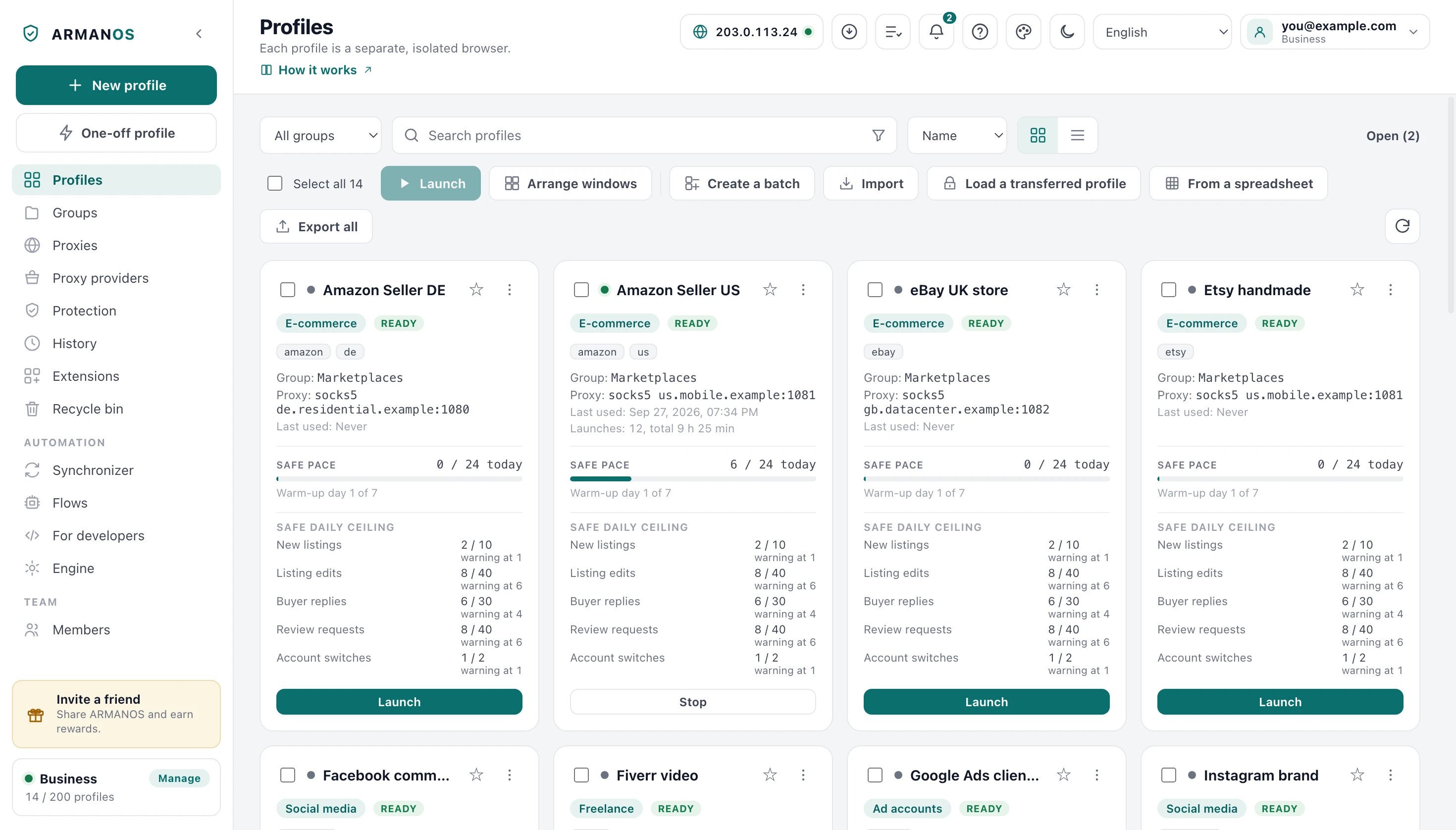
The Proxy cell of a profile in the list does the same without opening the profile: it opens a picker with search, and the change can be undone for 10 seconds.
Where the password goes
Not into the command line. A small bridge on loopback speaks to the browser without a password and to your proxy with one.
On disk the system seals the password on Windows only: on macOS the key ships inside the program, and on Linux the password is written as typed.
Check before you launch
The check runs the same road a launch runs: the same bridge for a proxy with a login, a real tunnel for an SSH entry.
What comes back is the exit address, the country and city, and the time to first response.
A check that passes means a launch will pass
What could slip past
Open the profile and look at its start page: it shows the exit address the site would see.
WebRTC is the other way out, and the profile's WebRTC mode decides it: in the default mode it is closed by a launch rule rather than by hope. The free leak test on this site reads your own candidate addresses without asking anyone else.
What this does not do
- It does not sell you a proxy. The library stores what you bought elsewhere.
- It does not keep a dead address alive. A proxy that stopped answering stops the launch rather than leaking around it.
- It does not hide that a profile has no proxy at all. The list says so plainly.
Where this is decided
Each step above is one place in the code and one stand.
- The password reaches the proxy through a loopback bridge, not the command line
- apps/desktop/test/proxy-auth-bridge.js
- The rule covers every scheme, so https does not slip past
- apps/desktop/test/proxy-covers-https.js
- The check uses the launch path, bridge and tunnel included
- apps/desktop/test/proxy-check-uses-bridge.js
- What each system does to a proxy password on disk
- apps/desktop/test/шифрование-правда-по-системам.js · apps/desktop/test/proxy-password-sealed.js
Questions
- Can two profiles share one address?
- They can, and it is usually a mistake. Two accounts leaving through one address is the pattern a platform reads as one person.
- What happens if the proxy dies mid session?
- The window stops loading rather than falling back to your own address. A silent fallback would be the worst of both.
- Does the exit country change anything else?
- Yes. It sets the profile clock and the language list, so the three agree with each other.
Next to this
No profile could be launched
When the launch stops instead of opening.
Change the proxy of a profile
The picker in the Proxy cell of the list.
A proxy per profile
The whole feature, not one procedure.
Leak test
Reads your own candidate addresses in your browser.
Choose a WebRTC mode
What each of the five modes shows a site.
Browser fingerprint
The other half of what a site reads.
Try it on one profile
The free plan gives two profiles, with no time limit and no card.