Cette page n’existe pas encore dans votre langue. Vous lisez le texte anglais.
Feature
Bulk actions, groups and the recycle bin
- up to 200
- Groups per computer
- 3 to 14 s, random
- Pause between launches
- up to 30 min
- Queue waits for a free window
- this computer plus your account
- Recycle bin
One selection across pages
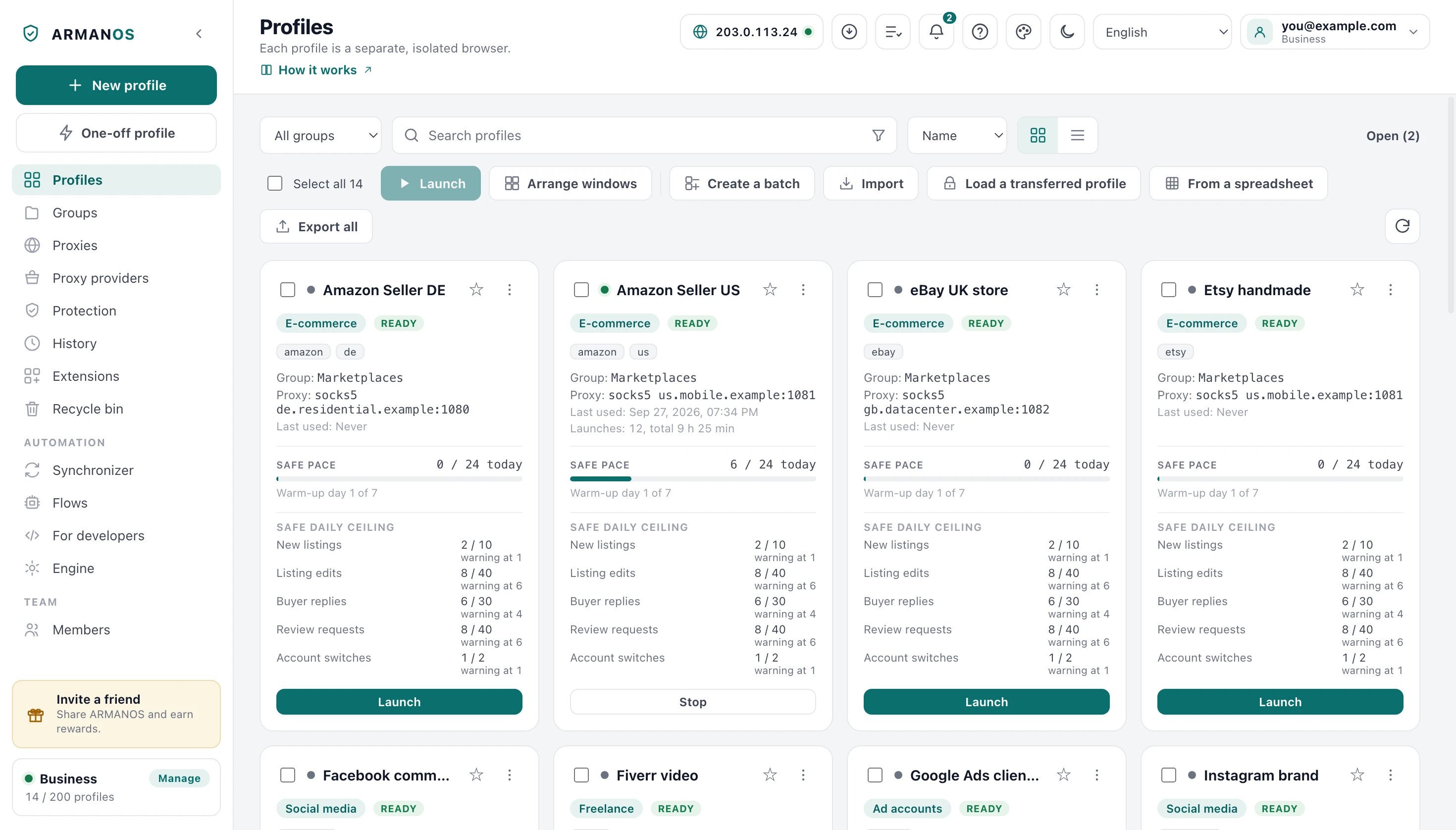
Every card in the grid and every row in the table carries a checkbox. Tick one and that profile joins a single selection, with an action bar above the list showing the count.
Select all means everything your search and filters found, not the page in front of you. The list is paginated inside the window, but the filtered set is what the actions use.
Selection spans pages
Paging further through the list never drops what you ticked on the pages before.
Clearing is scoped too
Untick select-all and you clear only what the current filter shows.
Seventeen things you can do
The bar carries one primary button and sixteen outline ones, and each does one thing to every selected profile. You cannot put one fingerprint on the whole batch from here: the batch would look like one machine. New fingerprint gives each profile a new machine of its own.
Move to group, Status, Rename, Tags, Assign proxy, Extensions, Password, Traffic saver and Bookmarks open a small window first, because they need a value. A confirmation stands where the action costs you something.
| Action | What it does | The catch |
|---|---|---|
| Launch | Opens each selected profile in its own window | Spaced out in time, and locked while a run is going |
| Stop | Closes the browsers of the selected profiles | Idle profiles are ignored, not counted as failures |
| Move to group | Writes one group onto every selected profile | Picking "No group" clears the group instead |
| Status | Sets a status from the list, or a new one with its own color, on every selected profile | No status clears it; profiles closed by a password are skipped and named |
| Rename | Names the profiles by a template: a number, the date, a random word, the current name | You see the resulting names before you press |
| Tags | Adds a tag to the selected profiles or removes it | The tags a profile already has stay |
| Assign proxy | One saved proxy, one typed by hand, or round robin | Round robin skips open profiles and says how many |
| Extensions | Switches an extension on or off in every selected profile | Profiles open in ARMANOS Browser get it at their next launch |
| Password | Sets one password on every selected profile | Where a password is already set you type it as the current one, and it has to fit them all |
| Traffic saver | Turns images or video off or on in every selected profile | Do not change keeps what each profile has, and the change takes effect at the next launch |
| New fingerprint | Gives each selected profile a new computer of its own for sites | Open and password-closed profiles are skipped and named; in an account the change goes through the server for the whole team at once |
| Bookmarks | Adds, replaces or clears the bookmarks on the bookmarks bar of every selected profile | Open profiles get the change at the next launch, and the built-in engine has no bookmarks bar |
| Cookie robot | Hands the selection to the cookie robot | Same task queue, same cancel button |
| Clear cookies | Deletes every cookie of the selected profiles on this computer | Site data stays, and there is no export from the bar |
| Copy ID | Puts the IDs of the selected profiles on the clipboard, separated by commas | In list order, as you see the list now |
| Export | Writes the selected profiles as a CSV or Excel table or as an ARMANOS settings file | The How to export window: columns to pick, secrets only with the box ticked, the result names the file |
| Delete | Moves the selection to the recycle bin | The window names the profiles and lets you delete permanently right away, without the bin; without that box nothing is erased |
A launch is a queue
Fifty accounts signing in inside one minute is itself a pattern. So profiles open one at a time, with a 3 to 14 second pause before each one after the first, which spreads fifty over several minutes.
The pause applies to launch only. Moving to a group, assigning a proxy and exporting run at full speed, because no website sees any of it.
- 1
Check for cancel
Press cancel between profiles: the one already opening finishes and nothing after it starts.
- 2
Wait out the spread
A fresh random pause, and after it your cancel is asked for again in case you changed your mind.
- 3
Ask to launch
You get back a launched profile, a real error, or the answer that there is no room.
- 4
Wait for room
On that answer the profile waits five seconds and asks again, for up to thirty minutes.
- 5
Record and move on
The report shows you the outcome of each profile and the first real error.
How many browsers open at once
How many browsers can be open at once is decided by your machine: total memory, less 3 GB for the system, about 1 GB per browser, clamped between 4 and 32. When memory cannot be read the answer is 8, and hitting that ceiling is not a failure.
The report counts outcomes
You see every bulk run as a task in the task centre, with a title, a progress bar and a cancel button. The bar moves after each profile, so a long run does not look frozen.
The ending is one of five sentences, not a green tick. A cancelled run that also had real failures says both, because cancelled on its own would hide three profiles that never opened.
Running out of room gets you its own sentence rather than an error, since nothing broke. Real errors are named alongside it.
- All succeeded
- Launched 30 profiles.
- Some failed
- Launched 27 of 30 profiles, plus the first real reason.
- Cancelled
- Cancelled at 12 of 30, plus a second line if any of the 12 truly failed.
- No room left
- Opened 8 of 30: no room for more. Close a browser window and launch the rest.
- Nothing to do
- Every selected profile is already in that group, so nothing was changed.
Wording is shortened here. The app carries these strings in 22 languages and picks the key by the outcome.
The costly actions ask first
A bulk action is one press that touches everything you selected, so every place where it could do harm silently is guarded. The delete window names the profiles, and the assign-proxy window opens with every field cleared.
An empty proxy form means remove the proxy, so it gets its own question naming the count and saying those profiles will then go online directly. The round robin tick and the library choice do not survive closing the window.
A proxy from the library stays the same record rather than a copy of it, so its checks and rotation keep working. One typed by hand you cannot save until it is filled in.
Group already set
If every selected profile is already in that group, you are told nothing changed.
Partial proxy assignment
Fewer profiles updated than you selected gets you a warning with both numbers, not a success.
Tag in the dashboard
A new tag joins the ones already there, because replacing would erase the labelling of a hundred profiles.
Groups on this computer
A group is a real record kept on your computer: an id, a name, a colour, a sort order and its timestamps. The same group sits in your account, so one screen shows both and neither overwrites the other when they meet.
Groups work signed out, because a group only ever describes profiles sitting in a file on this machine. A name longer than 60 characters is trimmed for you, a computer holds up to 200 groups, and a duplicate name is turned down.
You pick the colour from a fixed set, twelve in the app and seven in the dashboard, so a group never gets a shade that vanishes into the dark theme. Delete a group and its profiles come loose.

Groups also decide who sees what
The recycle bin
Delete is soft: the profile leaves the list with a deletion time on it, and its data is untouched. The browser is closed first, and profiles in the bin do not count against your plan.
In the bin you see two lists merged into one: what you deleted on this computer, and what your account still holds. A profile deleted on another machine appears with a badge, and you restore it from here.
The bin has a search, the choices Deleted by and Deleted, and check boxes on the rows. Restore selected brings the ticked ones back, and Delete selected permanently erases them, with the question naming how many of them the search and the choices hide.
- 1
Delete
The browser is closed, the deletion time is stamped, the row leaves the list, the data stays.
- 2
The bin lists it
Local and account entries are merged, newest first, with a badge on the account-only ones.
- 3
Restore
You can restore a profile while you are inside your quota, and a refusal arrives in your own language. For the selected ones the room is counted for all of them before the first comes back.
- 4
Delete permanently
The data goes first, then the record, and you are told whether the erase worked.
What permanent deletion erases
Delete permanently has to mean it, because people sell a machine on the strength of that sentence. Off the disk go the browsing data first, with retries, then the extension choices, schedules, statistics, Safe pace counters and the encrypted session file.
The dashboard without launch
The browser dashboard has the same checkboxes, the same rule that Select all means everything the search found, and four actions: Move to group, Proxy, Add a tag, Delete selected.
The dashboard works through the batch one profile at a time and shows the count as it goes: there are no bulk endpoints on the server and none are needed. The first failure stops the loop, because the rest would meet the same error.
Bulk launch is not there and is not planned for there, because the browser is opened by the program on your computer. The panel says that in plain words under the bar.
What this does not do
- It does not launch browsers from the dashboard. Bulk launch and bulk stop live in the desktop app, because the browser runs on your computer.
- A bulk change cannot be undone in one press. Only delete is reversible, through the recycle bin. A group move or a proxy assignment over 200 profiles is reversed by selecting them again.
- The recycle bin never empties itself. Nothing is erased on a timer, so a deleted profile sits there, with its data, until you restore it or delete it permanently.
- Groups do not nest. There are no subfolders, a profile belongs to at most one group, and a computer holds up to 200 groups.
- Bulk is a loop, not one request. Fifty profiles are fifty calls. In the dashboard the first failure stops the rest; in the app a failed item is counted and the run carries on.
How to check
Every claim above is a line of code with a stand that runs it.
- Bulk launch spaces openings out by a random 3 to 14 seconds
- apps/desktop/src/manager/renderer.js · apps/desktop/test/запуск-не-залпом.js
- The queue waits for a free window instead of writing profiles off as failures
- apps/desktop/src/manager/renderer.js · apps/desktop/test/очередь-запуска.js
- Select all covers only what the search found, and a tag is added rather than replacing
- apps/web/lib/bulk.ts · apps/web/test/массовые-действия-кабинета.js
- Delete permanently reports whether the data on disk was really erased
- apps/desktop/src/main/main.js · apps/desktop/test/purge-honesty.js
- A deleted profile leaves nothing behind: browser, launch log, counters
- apps/desktop/src/main/main.js · apps/desktop/test/delete-leaves-nothing.js
- The delete window with the list of names, the search and the ticks in the bin, restoring the selected with the room counted before the first
- apps/desktop/src/manager/renderer.js · apps/desktop/test/корзина-в-окне.js
- Status and tags in bulk: a password-closed profile is skipped and named, no password window pops up
- apps/desktop/src/manager/статусы.js · apps/desktop/test/статусы-в-окне.js
- Bulk rename gives exactly the names shown before you press
- apps/desktop/src/lib/имя-по-шаблону.js · apps/desktop/test/имена-по-шаблону.js
- New fingerprint in bulk: each profile gets its own seed, open and password-closed profiles are left alone and named
- apps/desktop/src/main/main.js · apps/desktop/test/новый-отпечаток-пачкой-в-окне.js
- Bookmarks in bulk: a closed profile is written, an open one gets the change queued until launch, a password-closed one is skipped and named
- apps/desktop/src/lib/закладки-профилей.js · apps/desktop/test/закладки-в-окне.js
- ARMANOS Browser reads the bookmarks file the app writes as its own, with the same checksum
- apps/desktop/src/lib/закладки.js · apps/desktop/test/закладки-живьём.js
- Removing and adding a tag for the selected profiles: Shop, shop and SHOP are one tag, and no repeat in another case appears in the app or on the server
- packages/shared/src/метки.js · apps/desktop/test/метки-правка-одним-правилом-живьём.js
Questions
- Can I tag a hundred profiles in the app?
- Yes. Tags on the selection bar adds a tag to every selected profile or removes it, and the tags each profile already has stay. A tag does not care about capital letters: removing shop removes Shop and SHOP too.
- What does a partial erase message mean?
- That the record is gone but cookies and saved logins may still be on this disk. It names the reason and asks you to close that profile's browser and delete again.
- Can I reorder groups without losing one?
- Yes. Reordering is a hint for the eye: no group is lost in the process, and anything that was not in the list goes to the end.
- Does emptying the bin check as carefully as one delete?
- Every item goes through the same machinery, and you get the same honest count of what was really erased.
- What happens if a profile disappears while it is selected?
- It is dropped from the selection, so the bar cannot claim twelve selected over nine living profiles.
- Can I put the same bookmarks on a hundred profiles?
- Yes. Bookmarks on the selection bar adds a list as lines or from an HTML file, replaces the bookmarks or clears them. Bookmarks shared by every profile live in the Team bookmarks card on the Engine screen.
Try it on your own list
In ARMANOS, make a few profiles and watch a bulk run report itself honestly.