Deze pagina is nog niet in uw taal. U leest de Engelse tekst.
Knowledge base
What a profile is
One profile is one browser
Two profiles never see each other's cookies, storage or saved sign-ins. Each one keeps its data in a folder of its own inside your user folder, and the browser it opens reads only that folder.
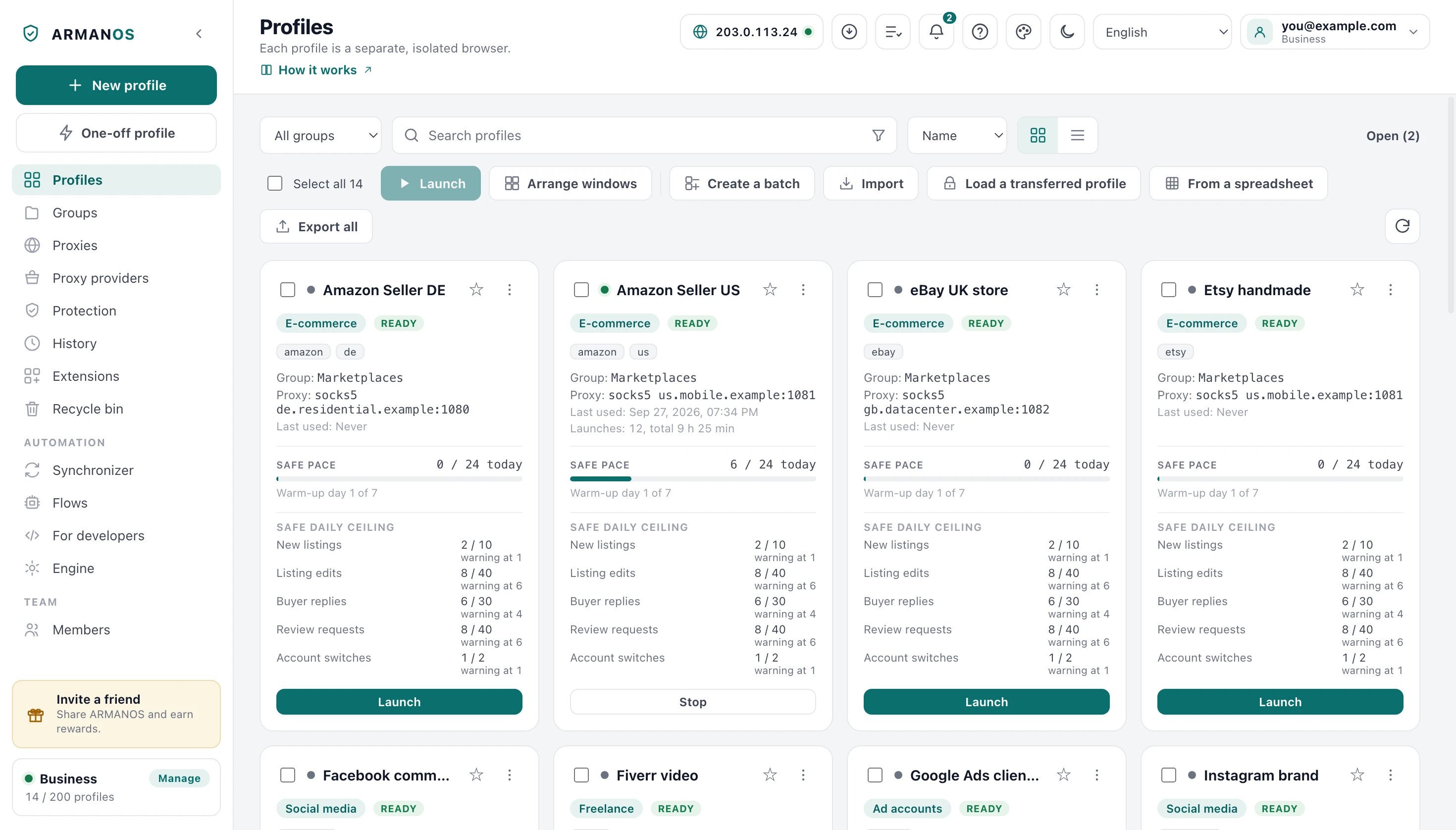
This is what the app says on the Profiles screen: each profile is a separate isolated browser.
What a profile carries
Name and group
For you, so a hundred rows stay readable.
Scenario
Sets the opening address, the tracker lists and link cleaning.
Fingerprint template
macOS, Windows, Linux or an Android phone or tablet.
Proxy
Its own way out, kept as a copy inside the profile.
Browser kernel
Which engine version opens it on this machine.
The number is the machine
Every profile has a number, and that number is the seed the fingerprint grows from. Nothing about the machine is stored: screen, cores, memory, graphics card and fonts are derived from the number and the template each time the profile starts.
You can read it on the profile's start page under Profile information.
Same number means the same computer
Where the data lives
Each profile owns a folder under the app's own data directory in your user folder. Delete the profile to the recycle bin and the folder stays; press Delete permanently and the folder goes with it.
What a profile does not take with it
Signing in on a second computer brings the profile and its settings. What keeps it logged in stays where it was made, because that is hundreds of megabytes of browser databases.
Moving that is a separate move: a transfer file or a folder your own cloud already syncs.
The scenario sets the defaults
The window offers five: Privacy, E-commerce, Social media, Ad accounts and Freelance. LinkedIn lives inside Social media and stands first on its list of platforms. Each one brings its own opening address, its tracker lists and its own Safe pace.
The pace shows on the profile card and in the Safe pace column: the app counts the pages opened and turns the bar yellow from 80% of the daily ceiling and red at it. For scenarios with platform actions the card shows Safe daily ceiling below the bar: a ceiling and a warning threshold for each action, with no count. The decision stays yours.
What this does not do
- A profile is not an identity you buy. It is a browser the app keeps apart from your other browsers.
- It does not make two accounts look unrelated when both leave through one address.
- It does not carry its logins to another computer on its own. That move is deliberate and has its own button.
Where this is decided
Each claim above is one place in the code and one stand.
- The fingerprint is derived from the profile number and never stored
- apps/desktop/test/fingerprint-version.js
- A duplicate takes the settings and a machine of its own
- apps/desktop/test/profile-clone.js
- The ceiling on open browsers refuses one more and closes nothing
- apps/desktop/test/предел-открытых.js
- Deleting a profile leaves no trace of it behind
- apps/desktop/test/delete-leaves-nothing.js
Questions
- How many profiles do I need?
- One for every account you want kept apart. Two accounts inside one profile share its cookies and are read as one person.
- How many can be open at once?
- As many as this computer's memory allows; the number is on the Engine tab and you can set it yourself. Reaching it refuses to open one more and never closes what is already open.
- Does a duplicate get the same fingerprint?
- No. A duplicate takes the same settings and its own machine, because two profiles describing one machine are tied to each other.
- I edited an open profile and nothing changed.
- Proxy, scenario and fingerprint changes apply the next time it starts, and the app says so when you save.
Try it on one profile
The free plan gives two profiles, with no time limit and no card.